BACK TO ARCHIVE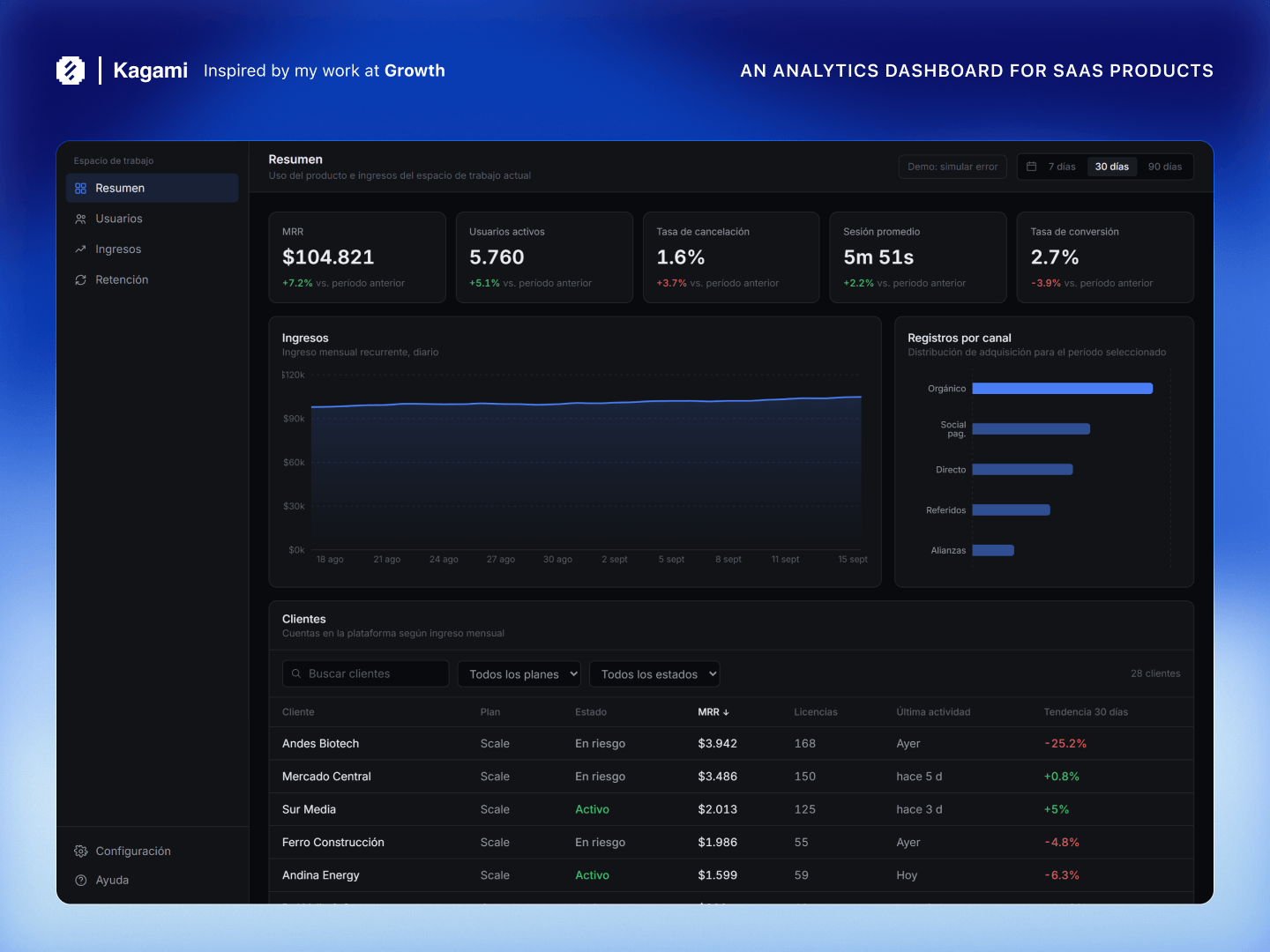
Kagami
An analytics dashboard for SaaS products.
kagami.preview
2024 × React, TypeScript, Tailwind CSS
Kagami is a dashboard concept focused on giving SaaS teams a quick overview of product usage, revenue and customer activity.
The interface brings several types of information together in one place, while keeping the most important numbers visible before getting into more detailed views.
//A view of the product
The main challenge with an analytics dashboard is deciding what deserves to be visible first.
There can be a lot of useful information: revenue, active users, churn, sessions, acquisition channels and individual customer data. Putting everything at the same level makes the interface harder to scan, so I structured the dashboard around a few key metrics and progressively more detailed information.
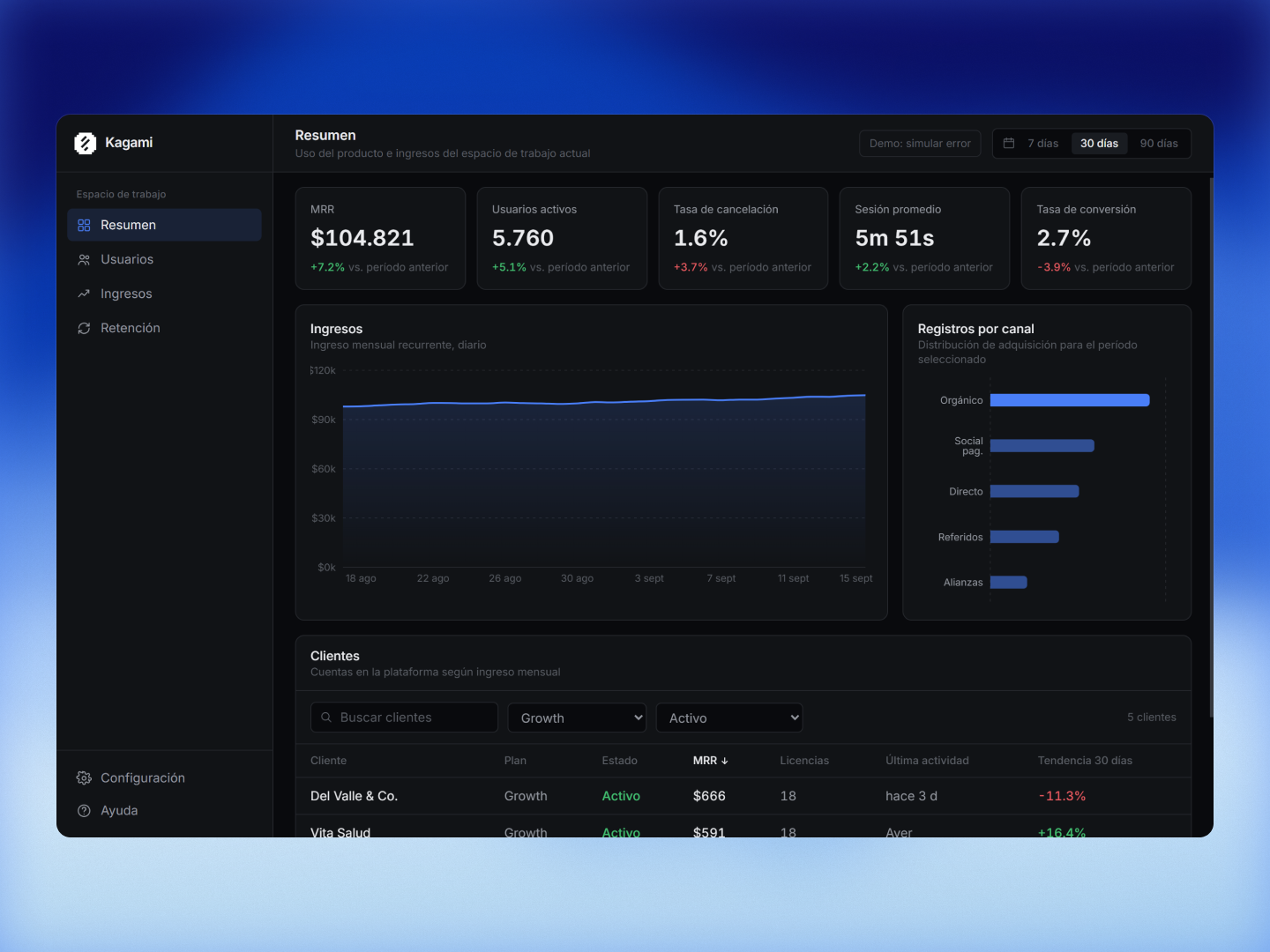
The top of the dashboard gives a quick overview of the selected period, followed by charts that provide more context around the numbers.
The customer table sits below these summaries, allowing the user to move from a general view of the product into individual accounts without leaving the page.
//When the data is unavailable
Analytics interfaces usually depend on data that is being updated somewhere else. That means there will be moments when the information isn't available or cannot be refreshed successfully.
I wanted Kagami to account for that state rather than simply leaving an empty space where the analytics normally appear.
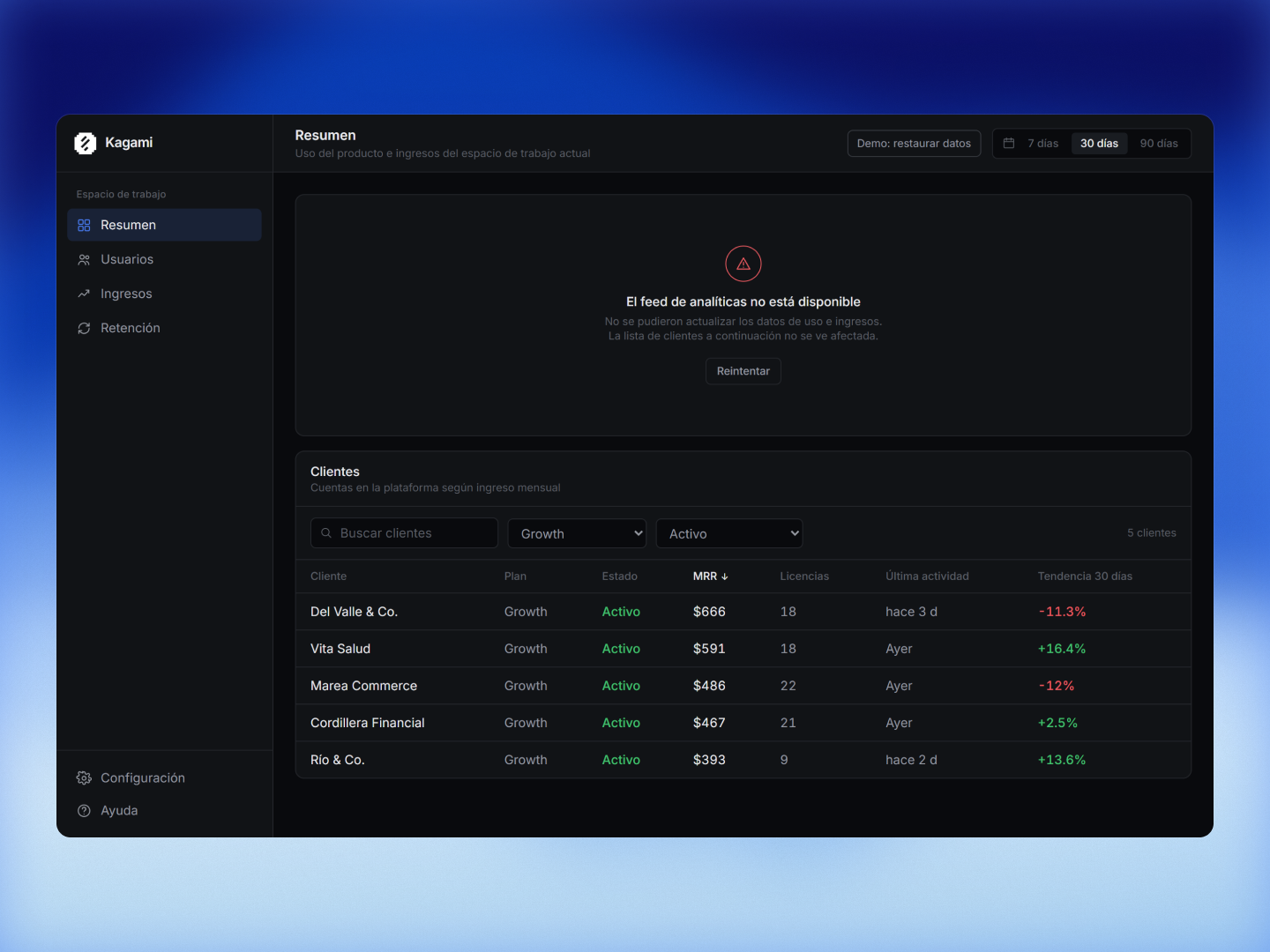
The error is contained within the analytics section, while the customer list remains available underneath it.
This was a small decision, but an important one: a problem with one part of the dashboard shouldn't make the rest of the information inaccessible.
//Keeping the dashboard quiet
Kagami was built as a small showcase project around a familiar interface pattern.
Most of the work was in deciding how much information to show, how to establish hierarchy between different levels of detail and what should happen when one of those pieces of information is temporarily unavailable.
The result is intentionally straightforward. The dashboard should be useful at a glance, while still giving enough detail to investigate what is happening when something looks out of place.