Netflix Tweaks
Take control of your Netflix experience with smarter playback and skip options.
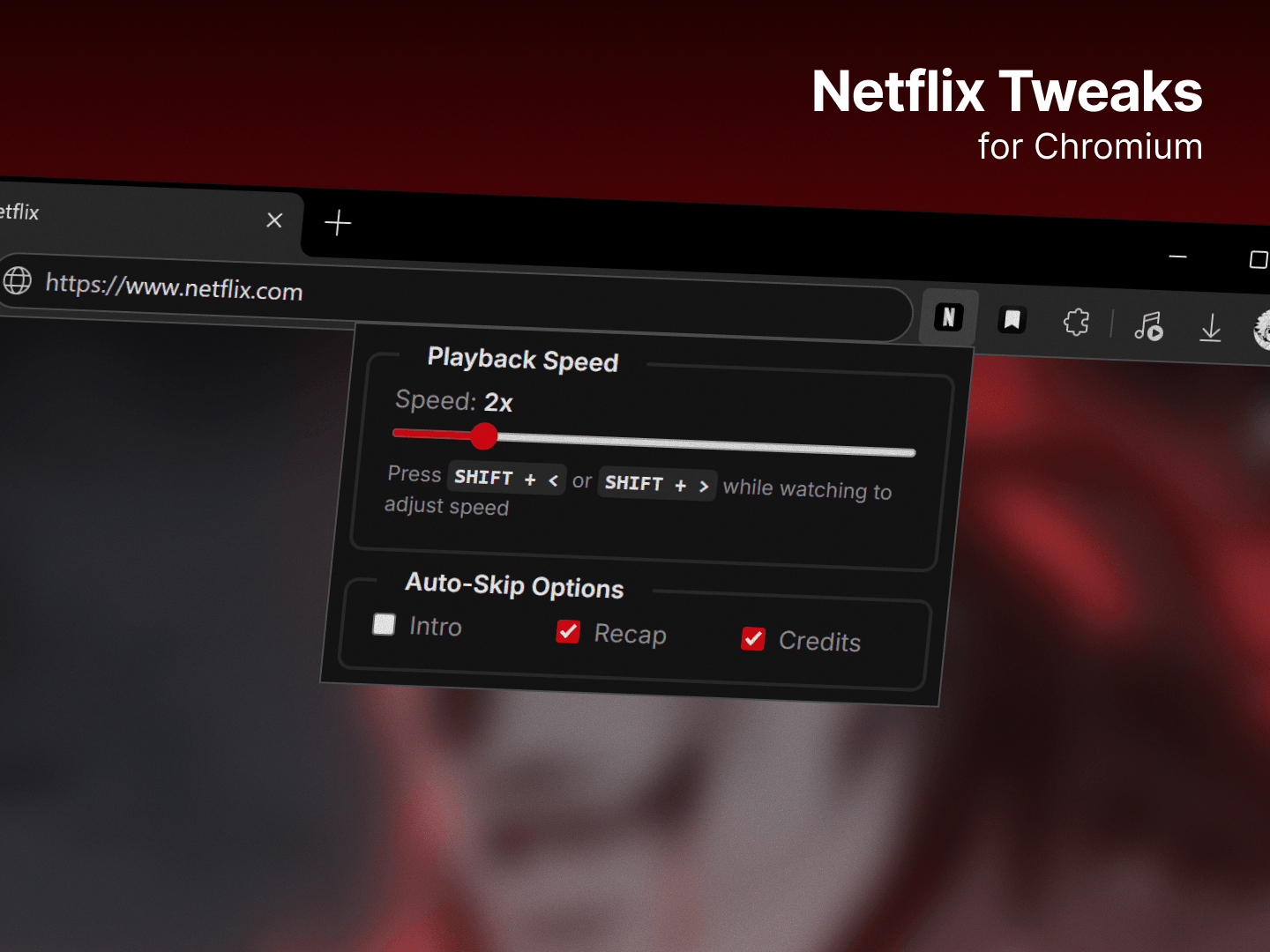
A lightweight Chrome extension for those who value their dopamine levels and hate manual clicking.
The Motivation: Solving "Manual Skip" Fatigue
Let’s be honest: our attention spans are fried, and Netflix isn't helping by making us manually click "Skip Intro" every 20 minutes. While there are several extensions in the Chrome Web Store that claim to fix this, most of them suffer from two main issues:
- They are bloated with features nobody asked for.
- They are unreliable, often requiring a page refresh to "wake up" and actually do their job.
I built Netflix Tweaks because I wanted a "set it and forget it" solution. No extra buttons, no fancy menus: just a script that works silently in the background so I can keep my hands off the mouse and my eyes on the show.
Features
- Auto-Skip Intros & Recaps: The moment that "Skip" button even thinks about appearing, the extension clicks it for you.
- Auto-Skip Credits: No more waiting for the countdown to end; it jumps straight to the next episode.
- Reliable Injection: Unlike other extensions that fail after a few episodes, this one is designed to stay active throughout your entire binge session.
- Minimalist Popup: Simple toggles to enable or disable features on the fly.
Why it's different
This isn't a complex suite of tools. It’s a targeted strike at the most annoying parts of the Netflix UI. It uses a lightweight Mutation Observer to detect UI changes instantly without affecting browser performance or video playback quality.
Tech Stack
- JavaScript Vanilla: For maximum performance and zero dependencies.
- CSS: To style the minimalist control popup.
- Chrome Extension API (Manifest V3): Built following the latest standards for security and longevity.